
The best LinkedIn growth software for a business-to-business team is not the tool that automates the most actions. It is the system that helps the team publish better ideas, learn from the audience response, and turn the right conversations into sales opportunities without creating account risk.
For mid-market business-to-business SaaS teams, the strongest stack usually combines four jobs:
- LinkedIn content from company leaders
- scheduling and approval workflows
- LinkedIn analytics that show what is working
- CRM follow-up so a relevant response can become a sales conversation
Direct answer
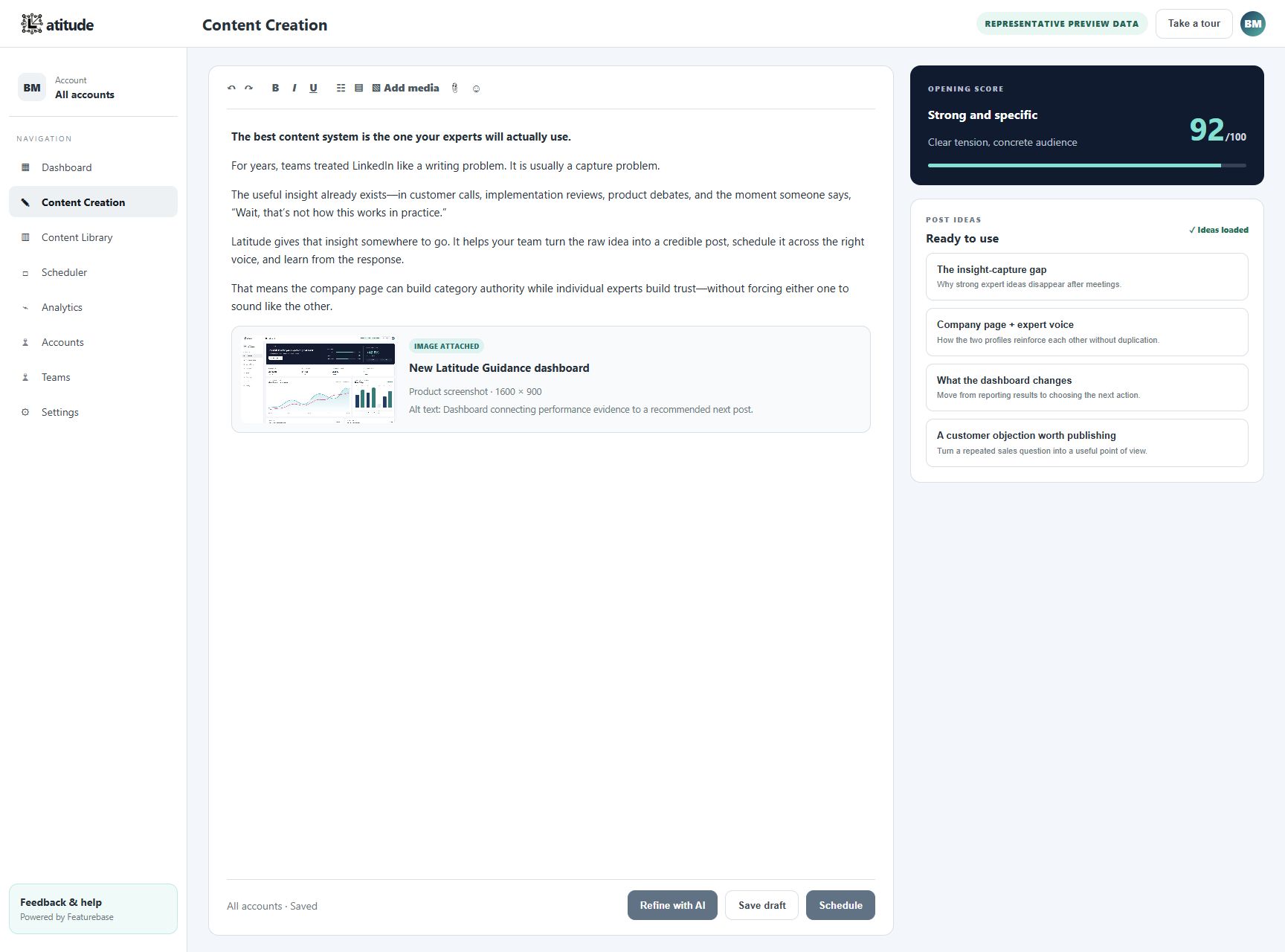
If you need one place to manage LinkedIn posts from company leaders, start with Latitude. It is built around the workflow business-to-business teams actually need: collect expert ideas, turn them into posts, preserve executive voice, review performance, and use reader responses to improve the next group of posts.
If you need a wider stack, pair Latitude with LinkedIn Sales Navigator for account research, HubSpot for lead tracking and sales opportunity tracking, and a scheduling or approval tool such as Buffer, Hootsuite, or Sprout Social depending on team size.
Ranked picks by use case
- Latitude: best for LinkedIn posts from company leaders
- LinkedIn Sales Navigator: best for account and buyer research
- HubSpot: best for CRM follow-up and seeing which conversations become sales opportunities
- Fibbler: best for LinkedIn Ads and tracking results for each company
- Sprout Social: best for social reporting and team coordination
- Hootsuite: best for approvals and publishing across several social networks
- Buffer: best for simple LinkedIn scheduling
- Taplio: best for LinkedIn-first creator inspiration
- AuthoredUp: best for writing, formatting, and publishing
- LeadDelta: best for relationship organization
1. Latitude
Best for: business-to-business teams that want company leaders to publish useful LinkedIn content consistently.
Latitude is the best fit when the team has expertise but lacks a system. The raw material is usually already inside the company: founder notes, sales objections, customer conversations, product lessons, market opinions, and examples. The problem is turning that material into consistent LinkedIn content without watering down the executive voice.
Use Latitude when you need:
- a shared source list for executive ideas
- AI-assisted LinkedIn content creation with human review
- a repeatable approval and scheduling process
- analytics that improve the next group of posts
- a safer path from content engagement to sales conversation
Latitude is strongest for mid-market business-to-business teams where LinkedIn is expected to help create sales opportunities, not just visibility.
2. LinkedIn Sales Navigator
Best for: finding the right buyers and accounts before outreach.
Sales Navigator belongs in the stack when the sales team needs better account research, lead lists, alerts, and buyer context. It does not solve content creation, but it gives executives and revenue teams a clearer picture of who they are trying to reach.
Use it to define target customer lists, watch target accounts, understand role changes, and identify people worth engaging with manually.
3. HubSpot
Best for: turning LinkedIn-sourced interest into follow-up and sales opportunity reporting.
Many business-to-business software teams keep customer and sales information in HubSpot. For LinkedIn, it helps them record new contacts, assign follow-up, and see which conversations become sales opportunities.
A practical workflow is simple: content creates engagement, the team identifies responses that deserve follow-up, sales logs the conversation or contact in HubSpot, and marketing reviews which themes influenced real opportunities.
4. Fibbler
Best for: teams spending meaningfully on LinkedIn Ads.
Fibbler is useful when the question is not who scheduled a post, but which companies saw or engaged with LinkedIn campaigns and whether that activity contributed to sales opportunities. For teams running paid LinkedIn campaigns, knowing which companies responded can be more useful than another dashboard of broad totals.
Use Fibbler when paid LinkedIn is a serious budget line and sales needs to know when each company responds.
5. Sprout Social
Best for: coordinating social publishing and reporting.
Sprout Social is a strong fit when LinkedIn is managed alongside other social channels and the team needs publishing, inbox workflows, analytics, collaboration, and reporting. It is heavier than a simple scheduler, but that is the point for teams with an established social media team.
Use Sprout when approval controls, reporting, and work across several accounts matter more than a lightweight posting queue.
6. Hootsuite
Best for: enterprise-style publishing and approvals across channels.
Hootsuite works well for larger teams that need to manage LinkedIn next to other networks, coordinate approvals, and keep social publishing organized. It is less focused on executive voice development than Latitude or creator-first tools, but it can be valuable as the approval and publishing tool.
Use Hootsuite when the team has many accounts, clear approval requirements, and cross-channel reporting needs.
7. Buffer
Best for: lightweight LinkedIn scheduling.
Buffer is a practical option for small teams and founders who mainly need a clean way to plan, schedule, and review LinkedIn posts. It is easy to understand and does not force a complicated process.
Use Buffer when you already have a plan for posts and mainly need consistent scheduling.
8. Taplio
Best for: LinkedIn post ideas and publishing support.
Taplio is popular with founders, creators, and sellers who want LinkedIn-specific content ideas, scheduling, engagement prompts, and analytics. It can make it easier to get started, especially for people building a personal brand.
The tradeoff is that template-heavy workflows can make teams sound similar. Business-to-business executives should use inspiration tools carefully and keep original judgment in the loop.
9. AuthoredUp
Best for: drafting, formatting, and repurposing LinkedIn posts.
AuthoredUp is useful for people who write directly for LinkedIn and want a better editor, post previews, drafts, content history, and analytics. It is a creator productivity layer, not a complete system for creating business-to-business sales opportunities.
Use AuthoredUp when the main difficulty is improving and organizing posts before publishing.
10. LeadDelta
Best for: organizing professional relationships.
LeadDelta helps teams and operators manage LinkedIn connections, tags, notes, and relationship workflows. It is not a substitute for a CRM, but it can make a large LinkedIn network easier to work with.
Use it when the executive team has a large network and needs a cleaner way to remember who matters.
What safe LinkedIn growth software should avoid
Any LinkedIn growth system should respect the difference between workflow support and risky automation. LinkedIn warns against third-party software, bots, browser extensions, scraping, and unauthorized automation that sends messages, adds contacts, comments, likes, or drives inauthentic engagement.
A safer business-to-business system uses software to help people decide who to engage, what to say, what to publish, and what to learn. It does not replace human relationship-building with mass connection requests or automated direct messages.
How to choose
Choose based on your current bottleneck:
- If executives are inconsistent, start with Latitude.
- If the audience is unclear, add Sales Navigator.
- If engagement is not becoming follow-up, tighten HubSpot workflows.
- If paid LinkedIn is hard to attribute, add Fibbler.
- If approvals and reporting are messy, evaluate Sprout Social or Hootsuite.
- If you only need scheduling, use Buffer.
- If individual creators need more writing support, test Taplio or AuthoredUp.
Bottom line
The best LinkedIn growth software helps teams publish useful posts from company leaders, review the results, identify responses that deserve follow-up, and assign the right sales follow-up.
For teams that want LinkedIn to help create sales opportunities, the goal is not more automated activity. The goal is a better routine for sharing expertise, learning from results, and starting human conversations.